> ## Documentation Index
> Fetch the complete documentation index at: https://docs.frameup.app/llms.txt
> Use this file to discover all available pages before exploring further.
# Theme Integration
> Learn how to resolve theme integration issues
## Enabling the plugin
If you're having problems enabling the plugin via the app then it's also possible to enable it directly through the theme editor. Follow the steps below:
### 1. Open the theme editor
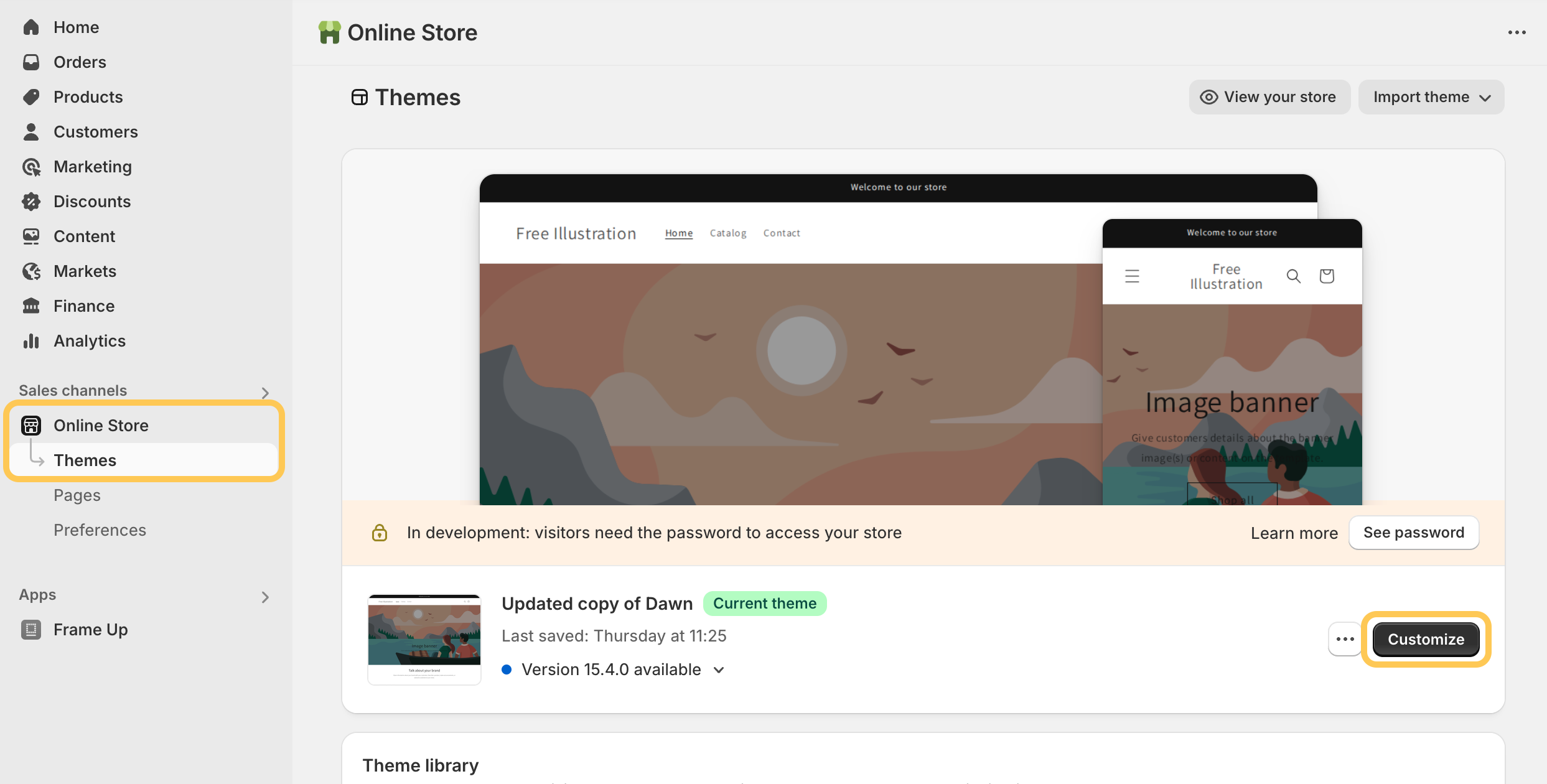
In Shopify admin, click "Online Store" in the left-side panel, then click "Customize" on your current theme.
 ### 2. Navigate to an artwork product page
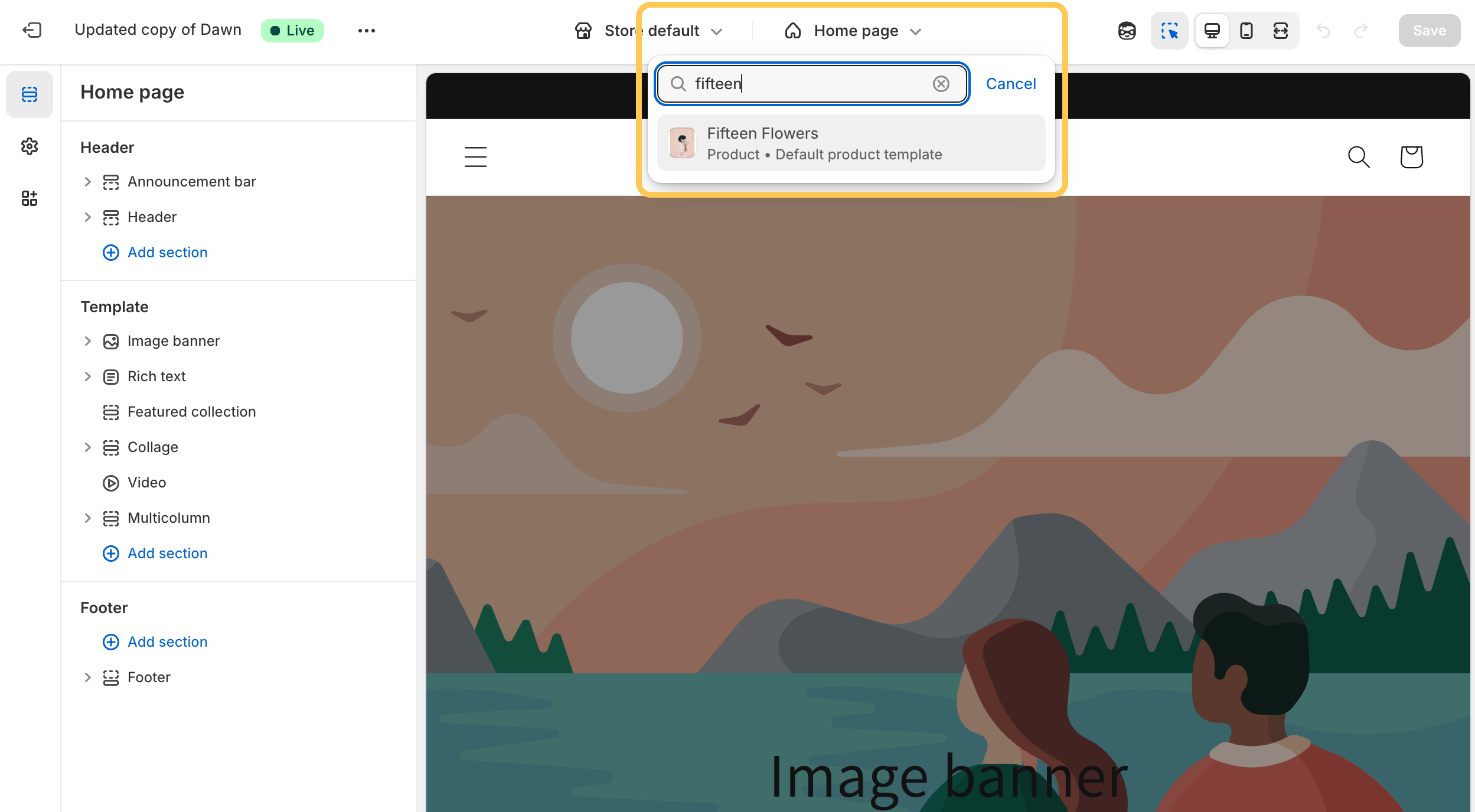
Search for a product that you've enabled for use with Frame Up. *See [Product Type Filter](/customisation/product-type-filter) for more information about enabling Frame Up only for specific product types.*
### 2. Navigate to an artwork product page
Search for a product that you've enabled for use with Frame Up. *See [Product Type Filter](/customisation/product-type-filter) for more information about enabling Frame Up only for specific product types.*
 ### 3. Enable the plugin
Click the "App embeds" button - this is the third of the 3 buttons along the left side of the page. Search for Virtual Gallery (Frame Up) and enable the switch as pictured below.
### 3. Enable the plugin
Click the "App embeds" button - this is the third of the 3 buttons along the left side of the page. Search for Virtual Gallery (Frame Up) and enable the switch as pictured below.
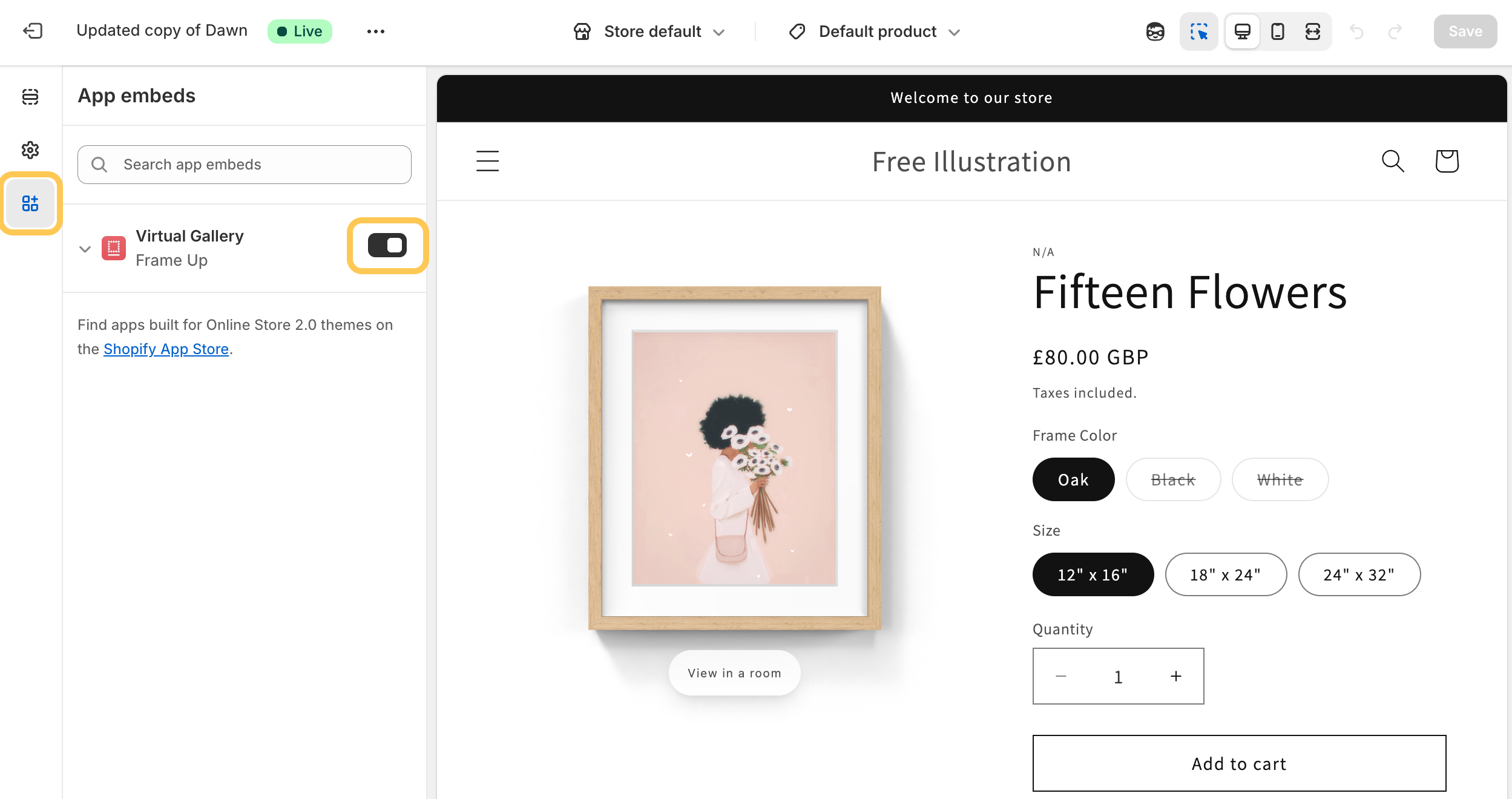 You should now see Frame Up working on your product pages! If everything looks good don't forget to click "Save" in the top right corner.
## Theme compatibility issues
Occassionally third party themes have compatibility issues with Frame Up. If the above steps haven't worked as you'd expect please [contact our support team](mailto:support@frameup.app) and we'll resolve the issue as quickly as possible.
You should now see Frame Up working on your product pages! If everything looks good don't forget to click "Save" in the top right corner.
## Theme compatibility issues
Occassionally third party themes have compatibility issues with Frame Up. If the above steps haven't worked as you'd expect please [contact our support team](mailto:support@frameup.app) and we'll resolve the issue as quickly as possible.